


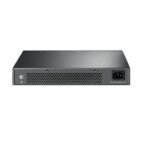
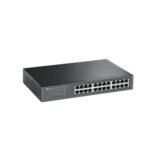


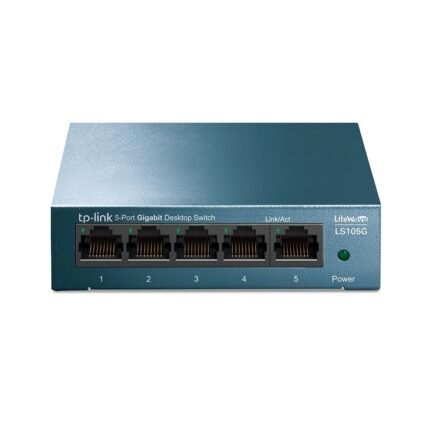
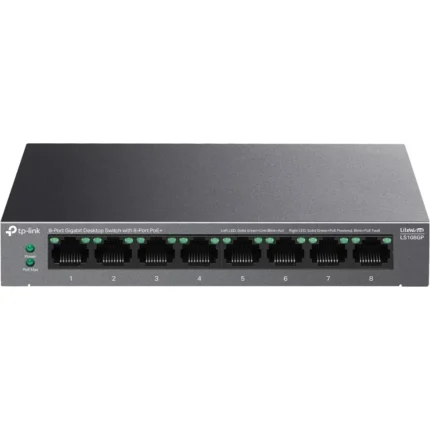
TP-Link LS1024G 24-Port Gigabit Desktop/Rackmount Switch
- 24 × 10/100/1000Mbps Gigabit Ethernet Ports
- Auto MDI/MDIX, Auto-Negotiation & MAC Address Self-Learning
- QoS Support for Smooth Voice & Video Network Traffic
- Fanless Metal Design with Desktop & Rackmount Installation
TP-Link LS1024G 24-Port Gigabit Desktop/Rackmount Switch
Product Features
24-Port Gigabit Ethernet Connectivity: The TP-Link LS1024G is a 24-port Gigabit Ethernet switch designed to expand wired connectivity across business, office, home, and professional network environments. All 24 RJ45 ports support 10/100/1000Mbps Ethernet connections.
Upgrade to Gigabit Networking: The LS1024G provides a straightforward upgrade from older Fast Ethernet infrastructure to Gigabit Ethernet, supporting network speeds of up to 1000Mbps per compatible connection.
Auto-Negotiation: Each Ethernet port automatically detects the supported network speed of the connected device and adjusts between 10Mbps, 100Mbps, and 1000Mbps for compatible operation.
Auto MDI/MDIX: Auto MDI/MDIX functionality eliminates the need to distinguish between standard and crossover Ethernet cables, helping simplify network deployment.
MAC Address Self-Learning: The switch automatically learns the MAC addresses of connected devices, allowing Ethernet traffic to be efficiently forwarded to the appropriate network ports.
QoS Traffic Prioritization: Quality of Service functionality helps prioritize latency-sensitive network traffic, supporting smoother operation for applications such as voice and video communication.
Plug-and-Play Installation: The LS1024G is designed for straightforward deployment without complicated configuration. Connect compatible Ethernet devices and the switch can begin operating as part of the wired network.
Energy-Efficient Technology: TP-Link energy-efficient technology helps reduce unnecessary power consumption, making the switch suitable for continuous operation in business and network environments.
Fanless Operation: The fanless design reduces operating noise while eliminating the power requirements and mechanical maintenance associated with an internal cooling fan.
Durable Metal Housing: The LS1024G features a robust metal enclosure designed to provide durability while assisting with passive heat dissipation during extended network operation.
Desktop Installation: The switch can be positioned on a suitable desktop or network workspace, providing flexibility for smaller installations where a dedicated network cabinet is not required.
Rackmount Installation: Rackmount support allows the LS1024G to be integrated into compatible network racks and cabinets for organized business and professional network deployments.
Suitable for Multi-Device Networks: With 24 Gigabit Ethernet ports, the switch can connect compatible desktop computers, servers, NAS storage, network printers, NVRs, access points, routers, and other Ethernet-enabled equipment.
Product Specifications
| Brand | TP-Link |
| Model | LS1024G |
| Product Type | Gigabit Ethernet Switch |
| Number of Ports | 24 |
| Ethernet Ports | 24 × 10/100/1000Mbps RJ45 |
| Maximum Port Speed | 1000Mbps Gigabit Ethernet |
| Auto-Negotiation | Supported |
| Auto MDI/MDIX | Supported |
| MAC Address Self-Learning | Supported |
| QoS | Supported |
| Configuration | Plug & Play |
| Energy-Efficient Technology | Supported |
| Cooling | Fanless |
| Housing | Metal |
| Installation | Desktop / Rackmount |
| Recommended Network | Home, Office & Business Networks |
Ideal For
- Small & Medium Business Networks
- Office Gigabit LAN Networks
- Network Racks & Cabinets
- Desktop Computers & Workstations
- NAS Storage Networks
- Servers & Network Storage
- Network Printers
- NVR & CCTV Networks
- Access Points & Routers
- Voice & Video Network Applications
Frequently Asked Questions
How many ports does the TP-Link LS1024G have?
The LS1024G provides 24 RJ45 Gigabit Ethernet ports.
Is the TP-Link LS1024G a Gigabit switch?
Yes. All 24 Ethernet ports support 10/100/1000Mbps connectivity, providing Gigabit Ethernet speeds with compatible network equipment.
Is the TP-Link LS1024G managed or unmanaged?
The LS1024G is designed as a plug-and-play unmanaged network switch and does not require advanced configuration for standard operation.
Does the LS1024G support Auto MDI/MDIX?
Yes. Auto MDI/MDIX is supported, simplifying Ethernet cable connections between compatible network devices.
Does the LS1024G support Auto-Negotiation?
Yes. Auto-Negotiation allows the ports to automatically determine the appropriate supported connection speed.
Does the TP-Link LS1024G support QoS?
Yes. QoS functionality is provided to help manage latency-sensitive network traffic such as voice and video applications.
Does the LS1024G have a cooling fan?
No. It features a fanless design for quiet operation and passive cooling.
Can the TP-Link LS1024G be rack-mounted?
Yes. The switch supports both desktop and rackmount installation.
Does the LS1024G require configuration?
No. It features a plug-and-play design for straightforward network deployment.
Does the TP-Link LS1024G support PoE?
No PoE functionality is specified for the LS1024G. Its 24 ports provide standard Gigabit Ethernet connectivity.
Can I connect a NAS to the LS1024G?
Yes. Compatible NAS storage devices can be connected through its Gigabit Ethernet ports, making the switch suitable for network storage environments.
Is the LS1024G suitable for CCTV networks?
It can be used to connect compatible Ethernet-based NVRs and other network equipment where standard non-PoE Gigabit connectivity is required.
Reviews
There are no reviews yet.