

Meetion CAM500 720p HD USB Wired Office Webcam Black
₨ 2,780
- HD 1280 × 720 Video at Up to 30 Frames per Second
- Manual Focus Adjustment from Approximately 5cm to 100 Metres
- Built-In Supplementary Light with Automatic Image Controls
- Plug-and-Play USB 2.0 Connection with a 1.5-Metre Cable
Meetion CAM500 720p HD USB Wired Office Webcam Black
Product Features
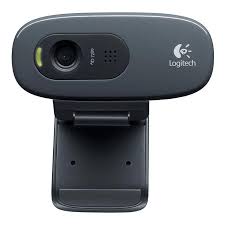
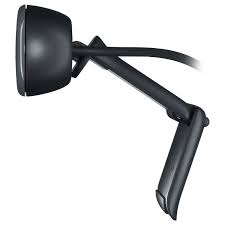
The Meetion CAM500 is a compact wired office webcam designed for video calls, online meetings, remote work, virtual classes and everyday online communication. Its HD video, manual focus and plug-and-play USB connection provide straightforward operation for home, office and educational use.
The webcam captures video at a maximum resolution of 1280 × 720 pixels and supports up to 30 frames per second. This HD resolution provides clear and smooth visuals for routine meetings, online classes, remote interviews and video conversations.
Manual focus adjustment allows users to control image sharpness according to the distance between the subject and the camera. The supported object-distance range extends from approximately 5cm to 100 metres, making the camera suitable for close-up demonstrations and wider room views.
A built-in supplementary light helps improve visibility when the surrounding lighting is limited. This feature can be useful during evening calls, online classes and meetings in dimly lit rooms.
The CAM500 supports Automatic Exposure Control, Automatic Exposure Bracketing and Automatic Gain Control. These image-processing features help balance brightness, exposure and light sensitivity as the surrounding conditions change.
Its sensor uses a specified pixel size of 2μm × 2μm to support consistent image capture. The webcam outputs video in MJPEG and YUY2/YUYV formats for compatibility with supported operating systems and applications.
A high-speed USB 2.0 connection provides both data transmission and power through a single cable. The included 1.5-metre cable offers convenient placement with desktop computers, laptops and office workstations.
Plug-and-play functionality allows the webcam to operate without additional driver installation on supported devices. Connect it to a compatible USB port, select the CAM500 as the video source and begin using it with the preferred meeting or communication application.
The Meetion CAM500 supports Windows, macOS, Linux and compatible Android devices. Its compact 66-gram construction makes it suitable for office desks, home workspaces, classrooms and portable computer setups in Pakistan.
Technical Specifications
| Brand | Meetion |
| Model | CAM500 |
| Product Type | Wired HD Office Webcam |
| Color | Black |
| Maximum Resolution | HD 1280 × 720 Pixels |
| Maximum Frame Rate | Up to 30 Frames per Second |
| Output Image Formats | MJPEG and YUY2/YUYV |
| Focus Type | Manual Focus |
| Object Distance | Approximately 5cm to 100 Metres |
| Pixel Size | 2.0μm × 2.0μm |
| Automatic Exposure Control | Supported |
| Automatic Exposure Bracketing | Supported |
| Automatic Gain Control | Supported |
| Supplementary Lighting | Built-In Light |
| Connection Type | Wired |
| Interface | High-Speed USB 2.0 |
| Cable Length | 1.5 Metres |
| Installation | Plug and Play |
| Dimensions | 60 × 65.8 × 58.92 mm |
| Weight | 66 ±3 g |
| Compatible Systems | Windows, macOS, Linux and Android |
| Operating Temperature | 0°C to 60°C |
| Storage Temperature | -20°C to 70°C |
| Recommended Use | Video Calls, Online Meetings, Remote Work, Online Classes and Interviews |
Frequently Asked Questions (FAQs)
What is the resolution of the Meetion CAM500?
The CAM500 provides HD video with a maximum resolution of 1280 × 720 pixels.
What frame rate does the CAM500 support?
It supports video capture at up to 30 frames per second, depending on the selected format and connected device.
Does the Meetion CAM500 have autofocus?
No. The CAM500 uses manual focus, allowing users to adjust image sharpness by rotating the focus control.
Does the CAM500 have a built-in light?
Yes. It includes supplementary lighting to help improve visibility in rooms with limited ambient light.
Does the CAM500 automatically adjust image brightness?
Yes. It supports automatic exposure, exposure bracketing and gain control to help balance the image under changing lighting conditions.
How does the Meetion CAM500 connect to a computer?
It connects through a high-speed USB 2.0 interface using its approximately 1.5-metre cable.
Does the Meetion CAM500 require driver installation?
No additional driver is normally required. It supports plug-and-play operation on compatible systems.
Can the CAM500 be used for online meetings?
Yes. Its 720p HD video, 30fps capability and adjustable focus make it suitable for routine meetings, video calls and virtual classes.
Can the CAM500 be used with a laptop?
Yes. It can be connected to compatible laptops and desktop computers through an available USB port.
Does the Meetion CAM500 support macOS and Linux?
Yes. Its specified compatibility includes Windows, macOS, Linux and compatible Android devices.

Reviews
There are no reviews yet.