
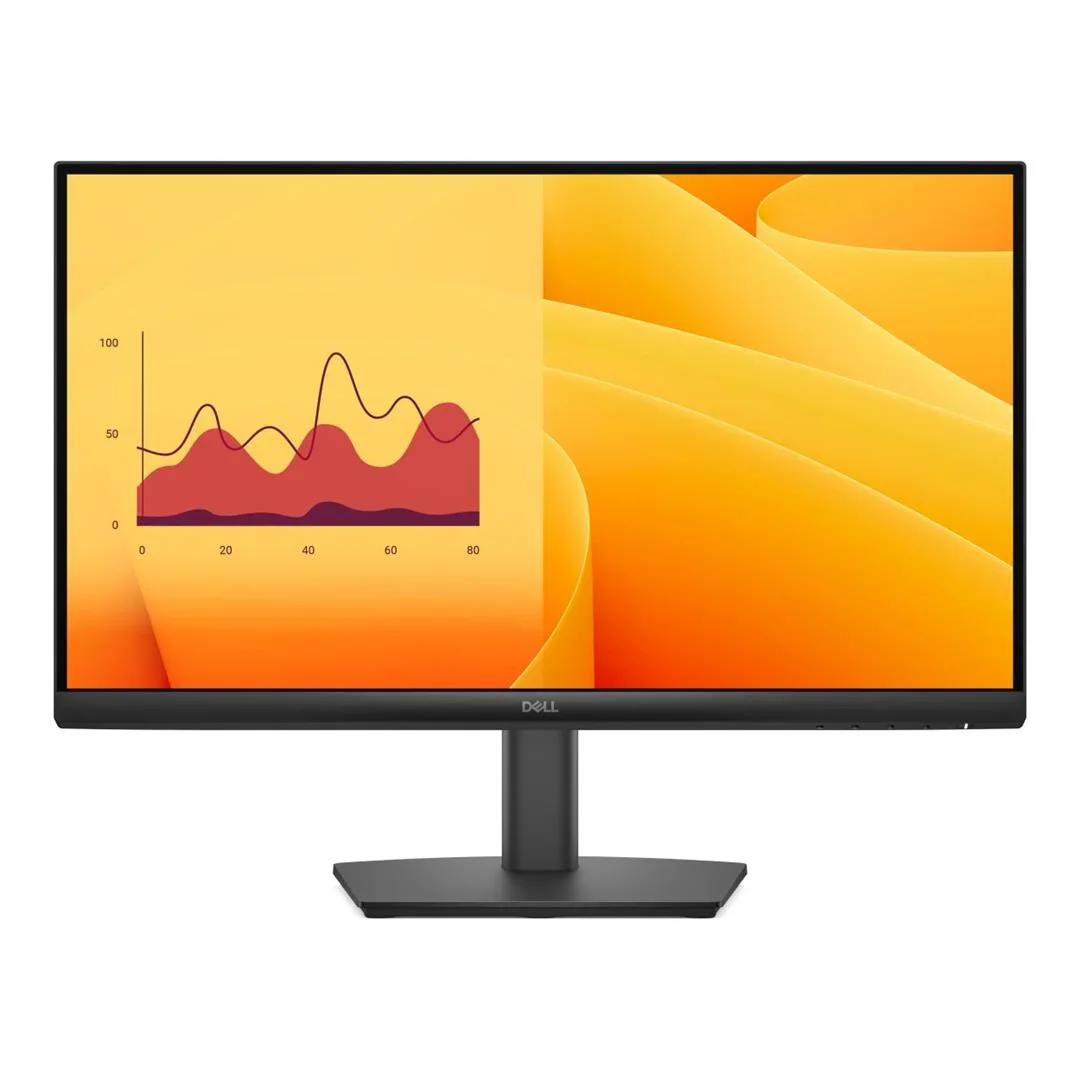
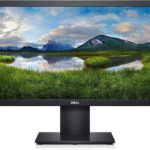
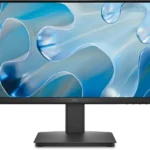

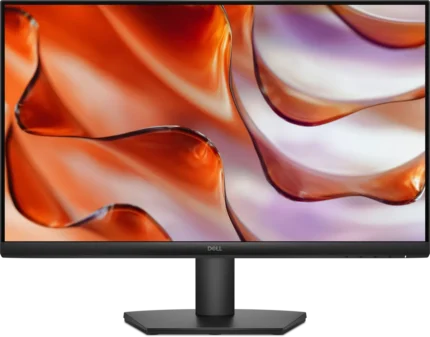
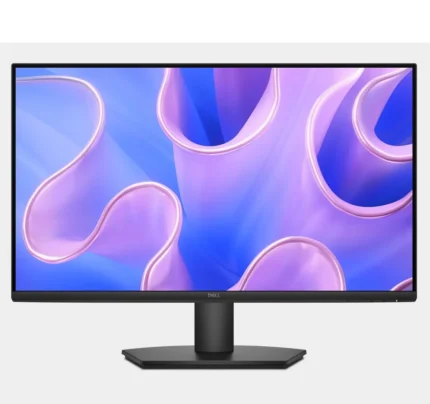
Dell E2225HM 21.5″ Full HD LED Monitor
₨ 28,875
- 21.5-Inch Full HD 1920 × 1080 LED Display for Home, Office & Business Use
- Anti-Glare Screen with Dell ComfortView Technology for Comfortable Extended Viewing
- HDMI, DisplayPort & VGA Connectivity for Desktops, Laptops, Mini PCs & Business Systems
- Compact Slim-Bezel Design with 100 × 100mm VESA Mount Support
Dell E2225HM 21.5″ Full HD LED Monitor
The Dell E2225HM 21.5-inch Full HD LED Monitor is a professional everyday display designed for offices, businesses, educational institutions, students, and home users. Its compact 21.5-inch screen and Full HD 1920 × 1080 resolution provide clear text, detailed images, and practical workspace for documents, spreadsheets, web applications, online meetings, studying, and multimedia.
Featuring an anti-glare display and Dell ComfortView technology, the E2225HM is designed to provide comfortable viewing during extended computer use. A versatile selection of HDMI, DisplayPort, and VGA connections makes it easier to integrate with modern and legacy computer systems, while 100 × 100mm VESA mounting support provides additional flexibility when organizing professional workspaces.
21.5-Inch Full HD Display
The 21.5-inch display offers a practical balance between usable screen space and a compact physical footprint. It fits comfortably on office desks, study tables, reception counters, computer labs, and home workstations where efficient use of space is important.
Full HD 1920 × 1080 Resolution
The Dell E2225HM features a native Full HD resolution of 1920 × 1080 pixels with a 16:9 widescreen aspect ratio.
The Full HD display provides clear visual output for everyday applications including:
- Documents & Reports
- Spreadsheets
- Accounting Software
- Web Browsing
- Online Learning
- Video Conferencing
- Business Applications
- Multimedia Content
Anti-Glare Display
The monitor features an anti-glare display surface designed to minimize distracting reflections from surrounding lights and windows.
This makes the Dell E2225HM suitable for offices, classrooms, businesses, and home environments where the display may be used for extended periods under different lighting conditions.
Dell ComfortView Technology
Dell ComfortView technology is designed to help reduce blue-light emissions from the display, providing a more comfortable viewing experience during prolonged computer use.
This is particularly useful for professionals and students who spend extended periods reading documents, working with spreadsheets, attending online meetings, or browsing digital content.
Designed for Office Productivity
The Dell E2225HM is well suited for professional and business environments requiring dependable everyday display performance.
It can be used with common productivity applications including:
- Microsoft Office Applications
- Accounting & Finance Software
- ERP & CRM Systems
- POS Applications
- Customer Support Software
- Data Entry Applications
- Email & Communication Tools
- Web-Based Business Applications
HDMI Connectivity
The Dell E2225HM includes HDMI connectivity, providing a convenient digital connection for compatible desktops, laptops, mini PCs, and other supported devices.
DisplayPort Connectivity
DisplayPort connectivity provides an additional digital interface commonly found on professional desktop computers, business workstations, and compatible laptops or docking solutions.
The inclusion of DisplayPort makes the E2225HM particularly practical for corporate and professional computing environments.
VGA Connectivity
A VGA input provides compatibility with supported older desktop computers and legacy business hardware.
With HDMI, DisplayPort, and VGA available, the monitor can be integrated into environments containing a mixture of modern and older computer equipment.
Ideal for Business Workstations
The compact Full HD display is suitable for organizations deploying monitors across multiple workstations. Its connectivity options make it practical for a variety of business computing environments.
The Dell E2225HM can be suitable for:
- Corporate Offices
- Customer Service Departments
- Sales Departments
- Accounting Workstations
- Reception Areas
- Educational Institutions
- Computer Labs
- Small Businesses
Suitable for Online Learning
Students can use the Dell E2225HM for online classes, research, assignments, educational videos, presentations, and general studying.
The Full HD resolution provides sufficient detail for text-based educational content and everyday multimedia.
Remote Work & Video Conferencing
The monitor can serve as a practical display for remote-working environments, providing comfortable screen space for video meetings, email, documents, web applications, and communication tools.
Compact, Space-Saving Design
The 21.5-inch screen size helps preserve valuable desktop space while still providing Full HD resolution.
This makes the monitor suitable for smaller office desks, shared workspaces, study areas, reception counters, and other environments where larger monitors may occupy too much space.
Slim-Bezel Design
The slim-bezel design provides a clean and professional appearance while maximizing visible screen area.
The reduced display borders also make the monitor suitable for compatible dual-monitor productivity configurations.
Dual-Monitor Productivity
Compatible Dell E2225HM monitors can be incorporated into multi-display workstations for users requiring additional workspace.
A dual-monitor setup can be particularly useful for accounting, customer support, research, data entry, sales operations, remote work, and other multitasking environments.
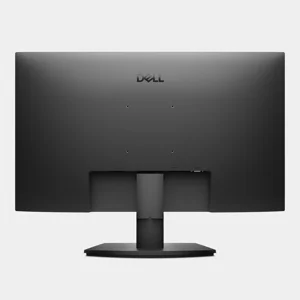
100 × 100mm VESA Mount Support
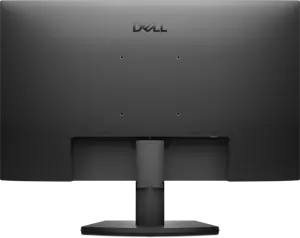
The Dell E2225HM supports a 100 × 100mm VESA mounting pattern.
This allows the monitor to be installed using a compatible monitor arm or wall bracket, providing additional flexibility for workspace organization and multi-monitor installations.
Energy-Efficient Operation
The LED display is designed for efficient everyday operation, making it suitable for organizations that operate multiple computer workstations throughout the working day.
Home & Everyday Computing
In addition to professional applications, the Dell E2225HM can be used for general home computing, web browsing, studying, online videos, communication, and everyday multimedia.
Key Features
- 21.5-inch LED display
- Full HD 1920 × 1080 resolution
- 16:9 widescreen aspect ratio
- Anti-glare display surface
- Dell ComfortView technology
- Designed for comfortable extended viewing
- HDMI connectivity
- DisplayPort connectivity
- VGA connectivity
- Compatible with supported desktops and laptops
- Suitable for compatible mini PCs and business systems
- Compact and space-saving footprint
- Slim-bezel professional design
- Suitable for compatible dual-monitor setups
- 100 × 100mm VESA mounting support
- Compatible with suitable monitor arms
- Compatible with suitable wall mounts
- Energy-efficient LED operation
- Suitable for office productivity
- Ideal for educational environments
- Suitable for remote work
- Ideal for home computing
Specifications
| Brand | Dell |
| Model | E2225HM |
| Product Type | LED Monitor |
| Screen Size | 21.5 Inches |
| Panel Type | LED |
| Resolution | 1920 × 1080 (Full HD) |
| Aspect Ratio | 16:9 |
| Display Surface | Anti-Glare |
| Eye Comfort | Dell ComfortView |
| HDMI | Yes |
| DisplayPort | Yes |
| VGA | Yes |
| VESA Mount | 100 × 100mm |
| Bezel Design | Slim Bezel |
| Recommended Use | Home, Office, Business & Education |
Ideal For
- Corporate Offices
- Small Businesses
- Home Offices
- Business Professionals
- Students
- Educational Institutions
- Computer Labs
- Remote Workers
- Accounting Workstations
- Customer Support
- Data Entry
- Reception Counters
- Online Learning
- Dual-Monitor Workstations
- General Home Computing
Frequently Asked Questions
What is the screen size of the Dell E2225HM?
The Dell E2225HM features a 21.5-inch Full HD LED display.
What resolution does the Dell E2225HM support?
The monitor features a native 1920 × 1080 Full HD resolution.
Does the Dell E2225HM include HDMI?
Yes. The monitor includes HDMI connectivity for compatible desktops, laptops, mini PCs, and other supported devices.
Does the Dell E2225HM have DisplayPort?
Yes. DisplayPort connectivity is available for compatible business computers, workstations, and other supported equipment.
Does the Dell E2225HM have VGA?
Yes. VGA provides additional compatibility with supported older computers and legacy business systems.
What is Dell ComfortView?
Dell ComfortView is designed to help reduce blue-light emissions for more comfortable viewing during extended computer use.
Does the Dell E2225HM have an anti-glare display?
Yes. Its anti-glare screen helps reduce distracting reflections from surrounding lighting.
Is the Dell E2225HM suitable for office use?
Yes. The Full HD display and multiple connectivity options make it suitable for documents, spreadsheets, accounting applications, email, business software, online meetings, and general office productivity.
Can the Dell E2225HM be used in a dual-monitor setup?
Yes. Its compact size and slim-bezel design make it suitable for compatible dual-monitor productivity setups.
Can the Dell E2225HM be wall-mounted?
Yes. It supports a 100 × 100mm VESA mounting pattern for compatible monitor arms and wall brackets.





Reviews
There are no reviews yet.