
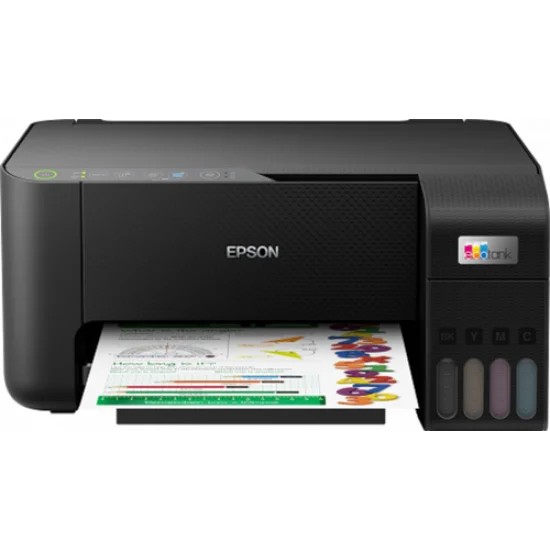
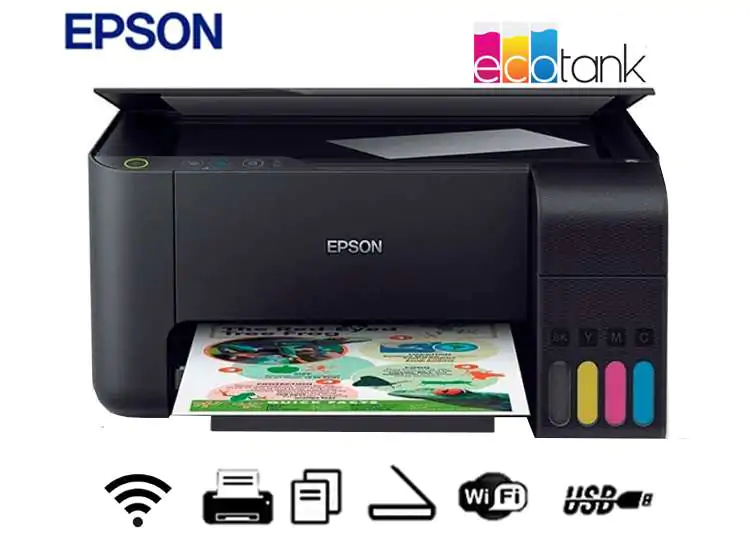
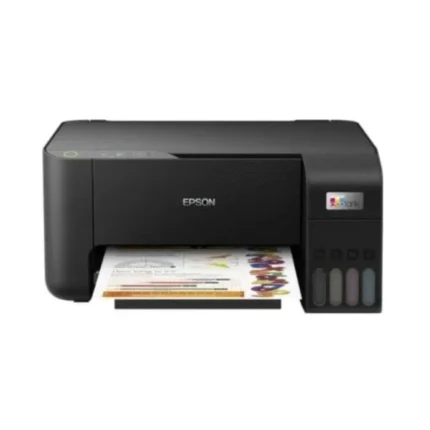
Epson EcoTank L3250 Wi-Fi All-in-One Ink Tank Printer – Card Warranty
₨ 48,825
- 3-in-1 EcoTank Printer with Print, Scan & Copy Functions
- High-Capacity Refillable Ink Tank System for Low-Cost Printing
- Wi-Fi & Wi-Fi Direct Connectivity for Convenient Wireless Printing
- Mobile Printing & Printer Management via Epson Smart Panel App
- Card Warranty for Reliable Local After-Sales Support
Epson EcoTank L3250 Wi-Fi All-in-One Ink Tank Printer – Card Warranty
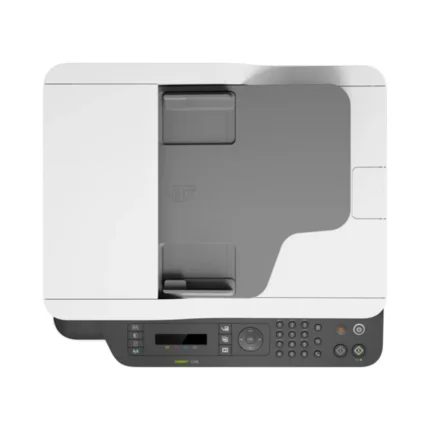
The Epson EcoTank L3250 is a versatile all-in-one ink tank printer designed for home users, students, professionals, and small offices that require economical everyday printing without the recurring cost of conventional ink cartridges. Combining printing, scanning, and copying in one compact device, the L3250 provides a practical solution for documents, assignments, reports, forms, photos, and general everyday printing.
Its integrated EcoTank refillable ink system uses high-capacity ink tanks and convenient ink bottles to provide a low-cost approach to high-volume printing. Built-in Wi-Fi and Wi-Fi Direct connectivity also allows compatible computers, smartphones, and tablets to print wirelessly without requiring a permanent USB connection.
3-in-1 Print, Scan & Copy Functionality
The Epson EcoTank L3250 combines three essential functions within one compact machine:
- Color & Monochrome Printing
- Flatbed Scanning
- Document & Image Copying
This multifunction design makes it suitable for users who want one device for their everyday document requirements while reducing the amount of equipment needed on their desk.
EcoTank Cartridge-Free Printing System
Instead of traditional disposable ink cartridges, the Epson L3250 uses an integrated high-capacity refillable ink tank system.
The EcoTank design is intended to reduce ongoing printing costs, particularly for users who regularly print schoolwork, office documents, reports, invoices, forms, and other materials.
Transparent ink tank sections also make it easier to monitor available ink levels and determine when refilling is required.
Convenient Ink Bottle Refilling
The L3250 uses Epson ink bottles designed to simplify the ink-refilling process. The bottle and tank system helps users refill individual colors when required rather than replacing an entire cartridge assembly.
Using compatible genuine Epson ink designed for the printer is recommended for consistent print quality and reliable operation.
Color & Black Document Printing
The Epson EcoTank L3250 can handle both monochrome and color printing, making it suitable for a wide range of everyday applications.
Common printing requirements include:
- Office Documents
- School Assignments
- University Projects
- Reports & Presentations
- Invoices & Forms
- Charts & Graphics
- Study Material
- Color Images
- General Home Printing
Wireless Wi-Fi Connectivity
Built-in Wi-Fi connectivity enables the Epson L3250 to connect to a compatible wireless network, allowing supported computers and mobile devices to access the printer without requiring a direct cable connection.
This makes the printer particularly convenient for households and small offices where several users may need access to the same printing device.
Wi-Fi Direct Support
The Epson EcoTank L3250 also supports Wi-Fi Direct, enabling compatible devices to establish a direct wireless connection with the printer without depending on a conventional wireless router for supported workflows.
This provides additional flexibility for printing from smartphones, tablets, and laptops.
Epson Smart Panel App
The Epson Smart Panel app provides compatible smartphone and tablet users with convenient access to supported printer functions.
Depending on the connected device and configuration, users can manage supported printing, scanning, setup, and maintenance tasks directly from their mobile device.
Flatbed Scanner
The integrated flatbed scanner allows users to digitize documents, photographs, identification documents, educational material, and other compatible originals.
Scanned files can then be stored, shared, emailed, or archived digitally according to the user’s workflow.
Convenient Copy Function
The built-in copying functionality allows documents and images to be reproduced directly from the printer without requiring a separate photocopier.
This is particularly useful for home offices, students, teachers, and small businesses that frequently need quick copies of everyday documents.
Compact Space-Saving Design
The EcoTank system is integrated directly into the printer chassis, helping the L3250 maintain a clean and compact desktop footprint.
Its design makes it suitable for installation in:
- Home Offices
- Study Rooms
- Small Business Offices
- Schools
- Tuition Centres
- Administrative Workspaces
- Reception Areas
- Retail Offices
Designed for Low-Cost Everyday Printing
The refillable EcoTank architecture makes the L3250 particularly attractive for users with regular printing requirements. Instead of repeatedly purchasing small-capacity cartridges, users can refill the printer’s individual ink tanks as required.
Actual printing costs and page yields depend on document content, print settings, maintenance cycles, environmental conditions, and usage patterns.
Ideal for Students & Home Users
The combination of wireless connectivity, refillable ink tanks, color printing, scanning, and copying makes the Epson L3250 particularly useful for students and families.
Assignments, notes, educational worksheets, presentations, online learning material, forms, and other documents can be printed conveniently from compatible computers and mobile devices.
Suitable for Small Offices
Small businesses and home offices can use the Epson L3250 for routine documents such as invoices, quotations, reports, letters, forms, charts, and administrative paperwork.
Its Wi-Fi connectivity also allows compatible users within the same environment to access the printer without maintaining a dedicated USB connection to a single computer.
Card Warranty
This Epson EcoTank L3250 configuration is supplied with a Card Warranty, providing local warranty coverage according to the applicable manufacturer or authorized distributor warranty terms and conditions.
Customers should retain their original purchase documentation and warranty card for future warranty and after-sales support requirements.
Key Features
- 3-in-1 multifunction ink tank printer
- Print, scan and copy functionality
- Color and monochrome printing
- Epson EcoTank refillable ink system
- High-capacity integrated ink tanks
- Individual ink bottle refilling
- Wi-Fi wireless connectivity
- Wi-Fi Direct support
- Mobile printing support
- Epson Smart Panel compatibility
- Integrated flatbed scanner
- Standalone copying capability
- Compact desktop-friendly design
- Designed for economical everyday printing
- Suitable for home, education and small-office environments
- Card Warranty configuration
Technical Specifications
| Brand | Epson |
| Series | EcoTank |
| Model | L3250 |
| Product Type | All-in-One Ink Tank Printer |
| Functions | Print, Scan, Copy |
| Printing System | Refillable EcoTank Ink System |
| Color Printing | Yes |
| Scanner | Flatbed |
| Copy Function | Yes |
| Wi-Fi | Yes |
| Wi-Fi Direct | Yes |
| Mobile Printing | Supported |
| Mobile App | Epson Smart Panel |
| Recommended Use | Home, Students, Education & Small Office |
| Warranty | Card Warranty |
Ideal For
- Home Users
- Students
- Teachers
- Home Offices
- Small Businesses
- Schools & Educational Institutes
- Assignments & Projects
- Office Documents
- Color Printing
- Scanning & Copying
- Wireless Mobile Printing
- Regular Everyday Printing
Frequently Asked Questions
Is the Epson L3250 an ink tank printer?
Yes. The Epson L3250 belongs to the EcoTank range and uses integrated refillable ink tanks instead of conventional ink cartridges.
What functions does the Epson EcoTank L3250 provide?
The L3250 is a 3-in-1 multifunction printer supporting printing, scanning, and copying.
Does the Epson L3250 support color printing?
Yes. It supports both monochrome and color printing.
Does the Epson L3250 have Wi-Fi?
Yes. Built-in Wi-Fi allows compatible computers and mobile devices to access the printer through a supported wireless network.
Does the Epson L3250 support Wi-Fi Direct?
Yes. Wi-Fi Direct enables compatible devices to connect directly to the printer for supported wireless printing workflows.
Can I print from a smartphone?
Yes. The L3250 supports compatible mobile printing solutions, including functionality available through the Epson Smart Panel app.
Does the Epson L3250 have a scanner?
Yes. It features an integrated flatbed scanner for scanning documents, images, photographs, and other compatible originals.
Is the Epson L3250 suitable for students?
Yes. Its refillable ink system, color printing, scanning, copying, and wireless connectivity make it well suited for assignments, notes, projects, and other educational printing requirements.
Is the Epson L3250 suitable for office use?
Yes. It is suitable for home offices and small businesses requiring economical printing, scanning, copying, and wireless connectivity.
What warranty comes with this Epson L3250?
This configuration is supplied with a Card Warranty. Coverage is subject to the applicable manufacturer or authorized distributor warranty terms.



Reviews
There are no reviews yet.