
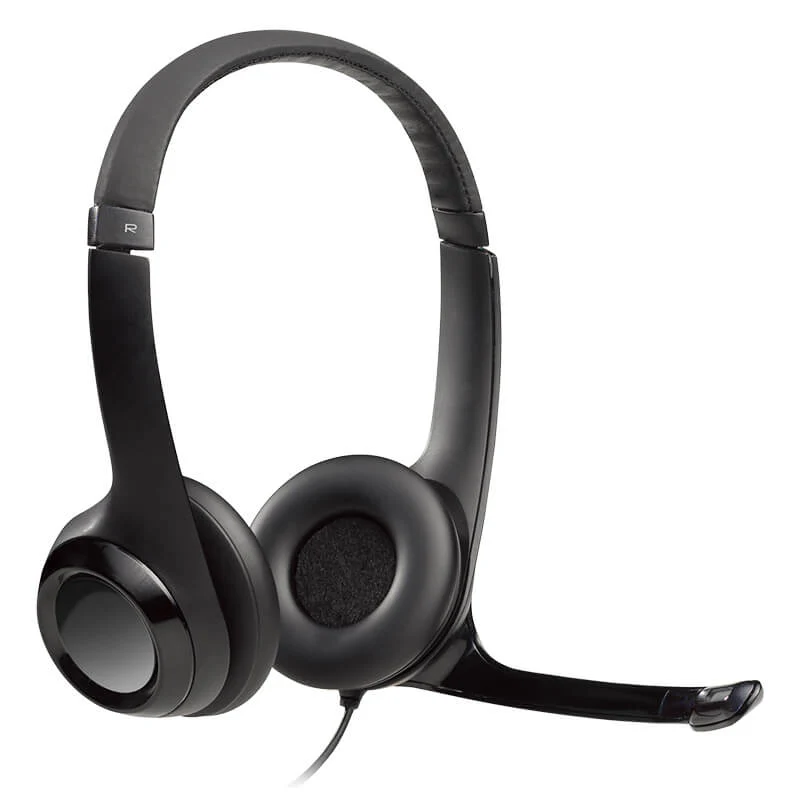

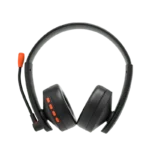

Logitech H390 USB Stereo Headset Black
₨ 8,190
- USB Digital Audio with Crystal-Clear Stereo Sound
- Noise-Cancelling Adjustable Microphone
- In-Line Volume & Microphone Mute Controls
- Padded Headband & Soft Ear Cushions for All-Day Comfort
Logitech H390 USB Stereo Headset Black
Product Features
The Logitech H390 USB Stereo Headset is designed for professionals, students, remote workers, and anyone who needs high-quality digital audio for calls and online communication. Featuring USB plug-and-play connectivity, a noise-cancelling microphone, and convenient in-line controls, it is an ideal headset for video conferencing, online learning, customer support, and multimedia use.
Precision-tuned stereo drivers deliver rich digital sound with clear vocals and balanced audio, making the H390 perfect for Zoom meetings, Microsoft Teams, Google Meet, Skype, webinars, music, and video streaming.
The adjustable noise-cancelling boom microphone minimizes background noise while ensuring your voice is heard clearly. When not in use, the microphone can be rotated upward and out of the way.
Soft leatherette ear cushions and a padded adjustable headband provide excellent comfort during long workdays, online classes, and extended conference calls. The lightweight design helps reduce fatigue during continuous use.
Integrated in-line controls allow you to adjust the volume or mute the microphone instantly without leaving your meeting or interrupting your workflow.
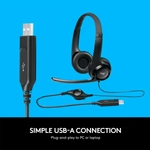
The USB-A plug-and-play connection requires no additional drivers on most operating systems, allowing quick installation and reliable digital audio performance.
Compatible with Windows, macOS, ChromeOS, and most USB-enabled computers, the Logitech H390 is a dependable solution for offices, call centers, educational institutions, and home users seeking premium audio quality.
Technical Specifications
| Brand | Logitech |
| Model | H390 |
| Color | Black |
| Connection Type | USB-A |
| Audio Output | Digital Stereo Sound |
| Microphone | Noise-Cancelling Adjustable Boom Microphone |
| Controls | In-Line Volume & Microphone Mute Controls |
| Ear Cushions | Soft Leatherette Ear Pads |
| Headband | Adjustable Padded Headband |
| Compatibility | Windows, macOS, ChromeOS and USB-Compatible Computers |
Frequently Asked Questions (FAQs)
Is the Logitech H390 suitable for online meetings?
Yes, it is optimized for Zoom, Microsoft Teams, Google Meet, Skype, and other video conferencing platforms.
Does the Logitech H390 have a noise-cancelling microphone?
Yes, it features an adjustable noise-cancelling boom microphone for clear voice communication.
Can I mute the microphone directly from the headset?
Yes, the in-line control module includes dedicated microphone mute and volume adjustment buttons.
Is the Logitech H390 comfortable for extended use?
Yes, the padded headband and soft leatherette ear cushions provide excellent comfort during long meetings and work sessions.
Does it require software installation?
No, the USB plug-and-play design works immediately on most supported operating systems without additional drivers.
Who is the Logitech H390 ideal for?
It is ideal for remote workers, professionals, students, customer support agents, online teachers, and anyone who needs reliable digital audio communication.

Reviews
There are no reviews yet.